Forms — CleverlyBox · Capture leads from anywhere. Embed in 30 seconds.
Email Capture Automation

Capture leads from anywhere. Embed in 30 seconds.

Drag our form inside any page, modal, or widget and start collecting leads instantly. With our API-first approach and smart triggers, you stop chasing signups and capture more every time someone is ready to convert.
10 Capture tools
3 Verification engines
Forms you can create
0 Extra cost per capture
The all-in-one way

You shouldn’t need three tools to capture an email.

Your tech stack should be lean. We built a solution with built-in capture, verification, and forms. Why juggle subscriptions, learn tools, and handle failures — when directly you save time and money?

Forms that actually perform

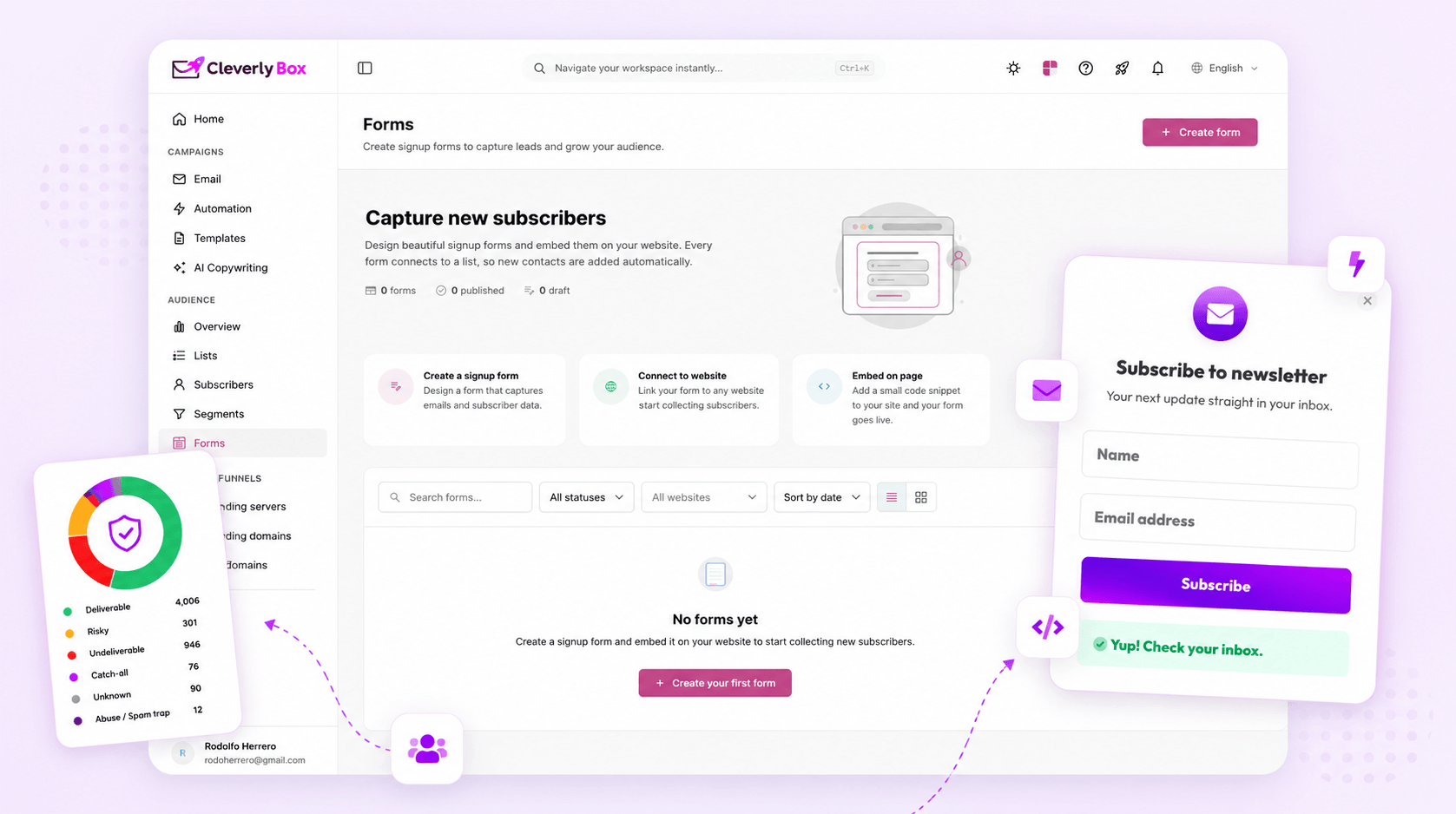
Beautiful forms that convert. Built-in validation, smart defaults, and anti-spam protection.

CleverlyBox verification engine

Real-time verification with multiple engines. Higher accuracy, lower bounce, healthier lists.

Happier lists. More revenue

Better data means better delivery, more replies, and more sales. All in one place.

~$60/mo average tools cost
+
$0 platform fee with CleverlyBox one-time only
Same engine. Any place.

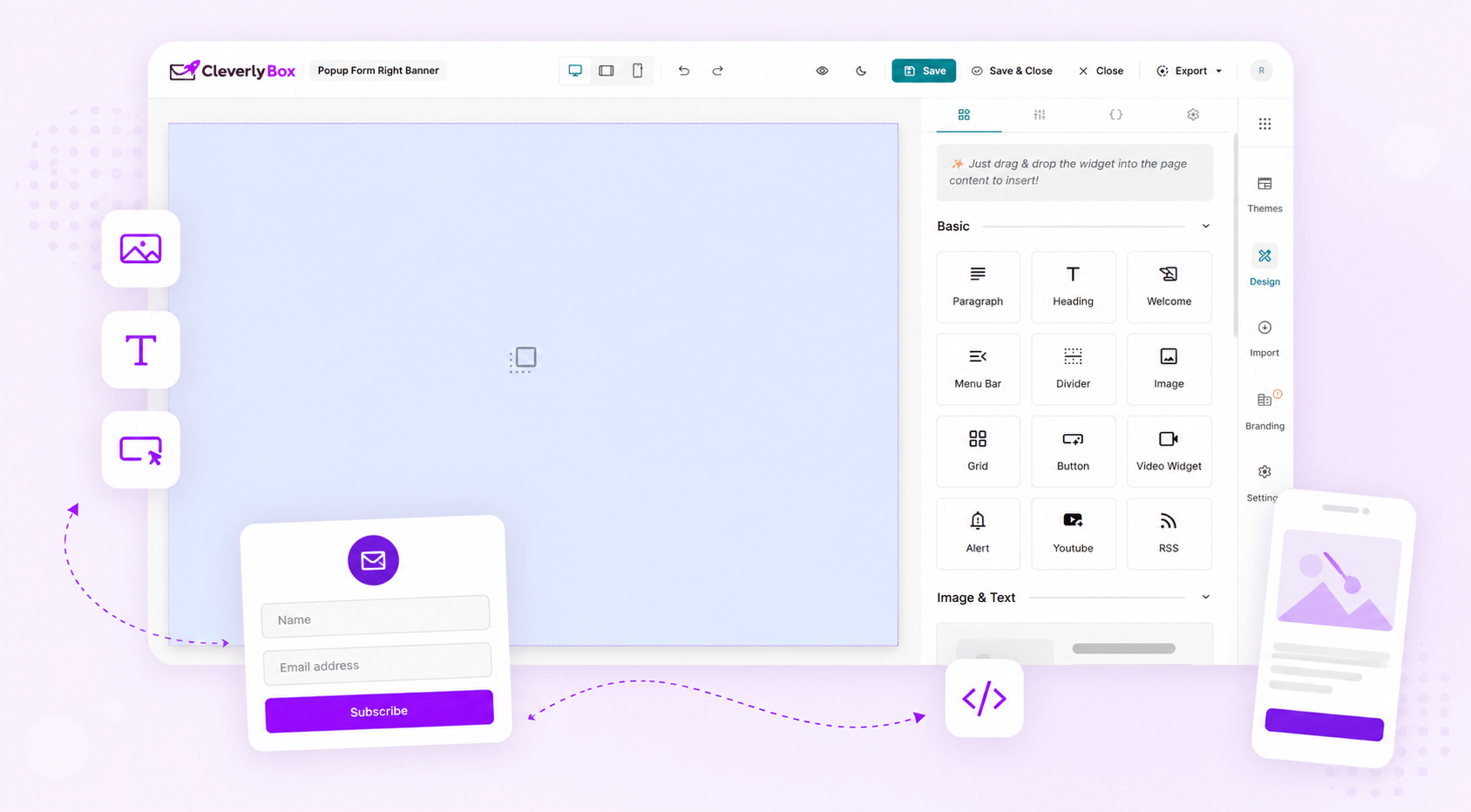
Same widget engine that powers the email builder. Drag, drop, ship.

One engine. Many ways to capture. Use popups, embedded forms, side-ins, or inline blocks. Validate in real-time, reduce bounces, and use lists that actually convert.

  • Popup, slide-in, inline & sticky bars
  • Real-time email verification
  • Built-in anti-spam honeypots
  • Smart fields & conditional logic
  • Zero-bounce integration out of the box
  • Mobile responsive by default

Popup

Centered modal popup

Slide-In

Side panel slide-in

Inline form

Embedded in content

Sticky bar

Always visible bar

Welcome Email

Lead magnet signup

Product Update

Release alert

Newsletter

Weekly capture

Promo Campaign

Offer signup
Start templates

Don’t start from a blank canvas. Start from a working form.

Pick a template, tweak a few settings, and you’re live. Designed to start gathering leads fast with proven layouts and conversion-friendly defaults.

  • Pre-built, high-converting templates
  • Mobile-optimized signup flow
  • Easy to customize in minutes
  • Launch in 30 seconds or less
  • Works on any website or platform
Small fields engine

Ten field types. Validation built in. Custom fields supported.

Every field comes with ready-to-use validation, smart input, and no extra scripts. Capture exactly what you need without writing a single line of code.

Text Single line
Email Email address
Phone Phone number
Number Numeric value
Date Date picker
Textarea Multi line
Dropdown Select option
Checkbox Single choice
Radio Multi choice
Hidden Store values
Clean lists. Real people.

Block bots. Verify humans. Ship clean lists.

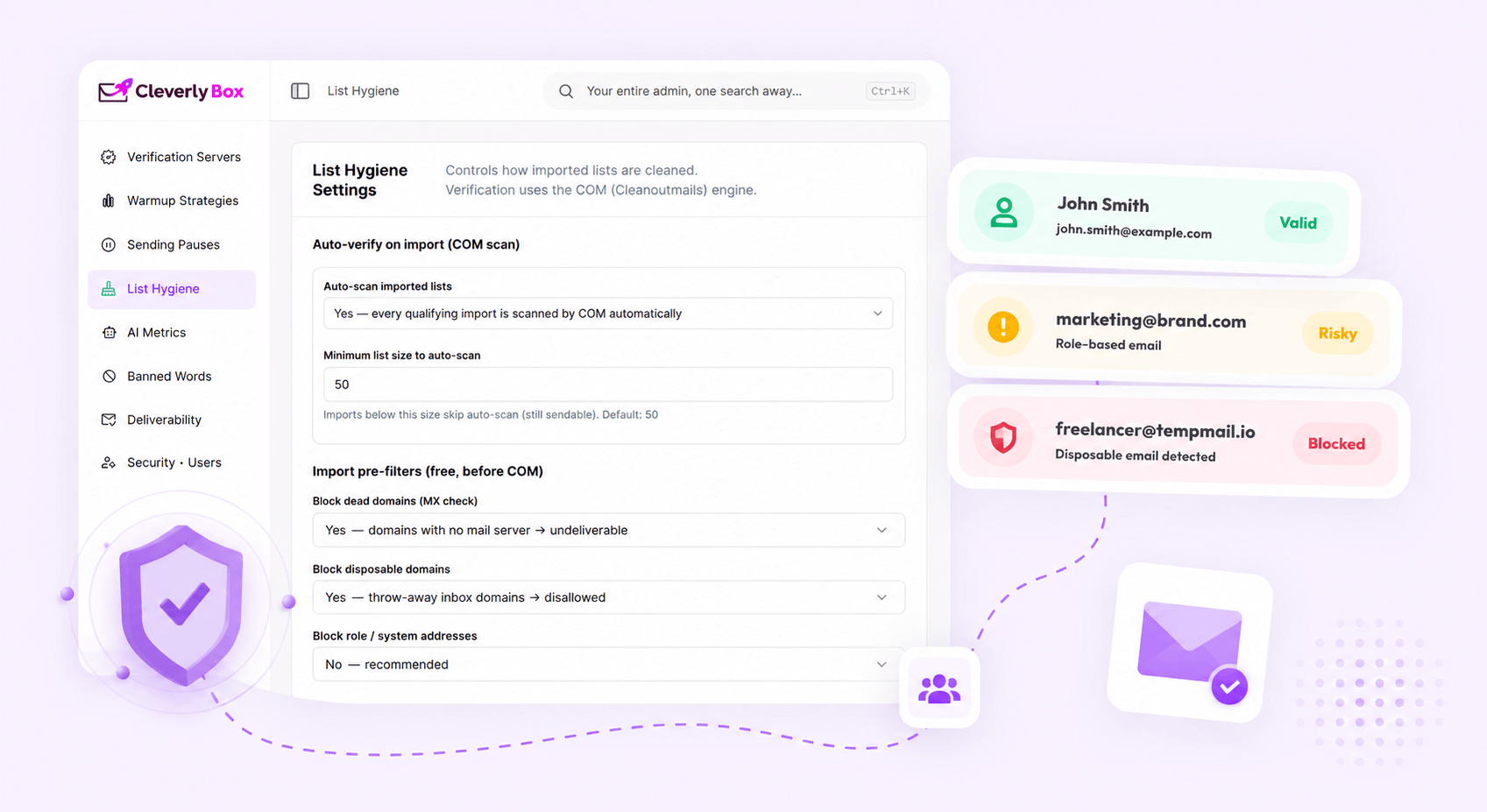
Stop sending campaigns to fake or risky emails. We use smart capture, verification engines, and block rules that protect your sender reputation.

  • Detect & block risky or fake signups
  • CleverlyBox 3-engine verifier
  • Real-time scoring & smart validation
  • Catch disposable & role-based emails
  • Cleaner lists = higher inbox placement
{
  "type": "popup",
  "event": "subscriber_submit",
  "trigger": "exit_intent",
  "name": "newsletter",
  "source": "homepage",
  "verify": true,
  "action": "add_contact"
}
Embed it anywhere

Three ways to embed. Pick fits the page.

Use a popup to grab attention, or add an inline form for seamless experience. All methods share the same engine, so your data is always clean and consistent.

  • Popup — high visibility, high conversions
  • Inline Form — seamless & native to content
  • Sticky Bar — subtle, always accessible
  • One engine. Same smart validation.
Look on-brand

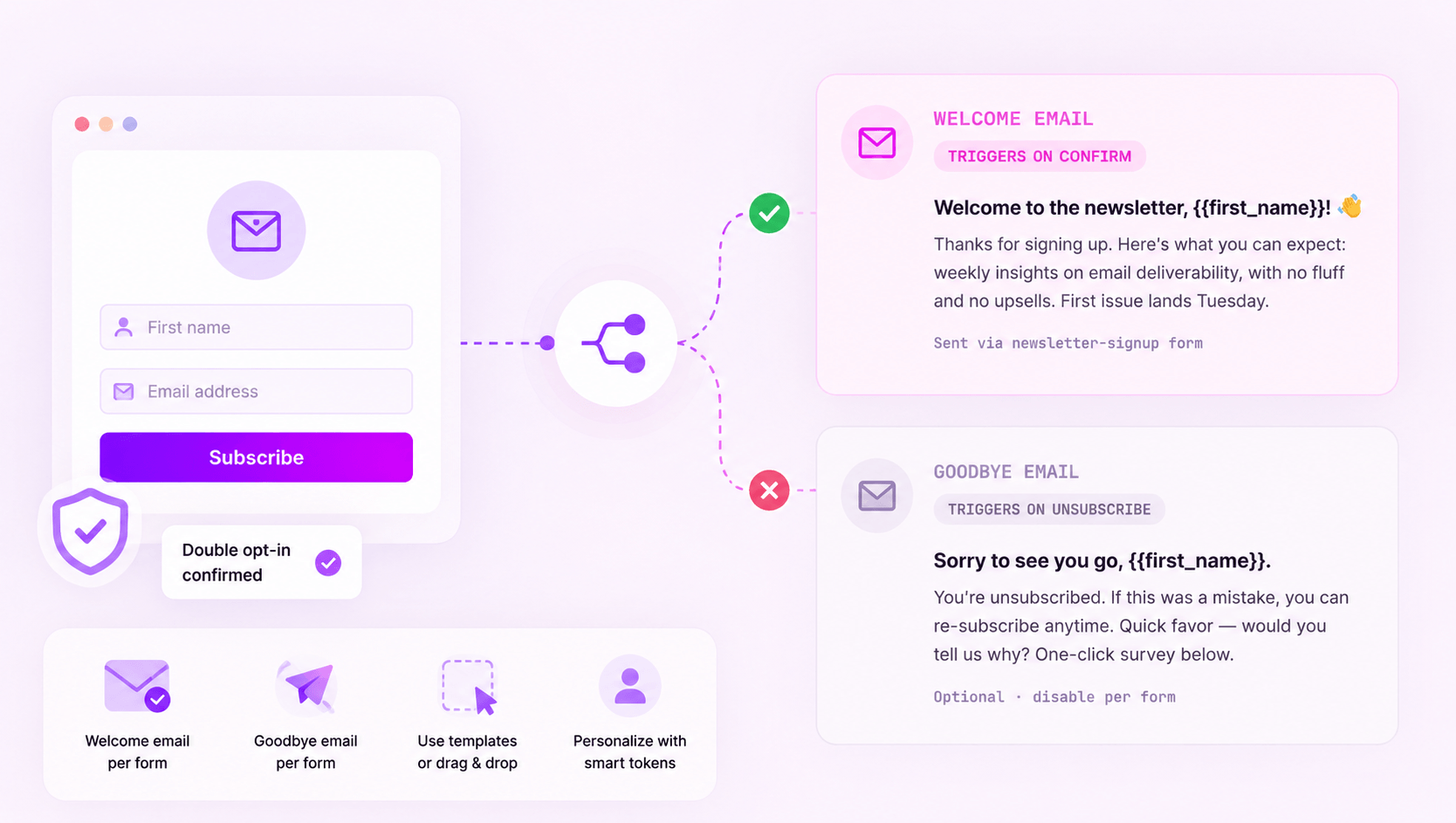
The first impression and the polite goodbye — both wired in.

Match campaigns with welcome emails and trust signals. Connect subscribers, collect clean data, and make your forms look like your brand.

  • Welcome message with personalization
  • Success message after submit
  • Consistent branding that builds trust
  • Fully customizable fonts & styles
  • Higher trust = higher conversions
Success + thank you

Welcome to the newsletter, Alex 👋

Thanks for joining! We’ll send you the best insights, updates, and guides straight to your inbox.

API endpoint POST /api/submit
After delay Wait 1 second
On exit intent Trigger on exit
On scroll depth 25% of page
On click element CSS selector
Automation trigger

Form submission → automation trigger. No middleware.

Trigger events the moment a verified form is submitted. Send data to your list, CRM, or automation in real time. No extra tools. No delays.

  • Auto-submit email platform or CRM
  • Webhook, Zapier & native integrations
  • Conditional triggers & smart routing
  • No middleware or complex setup
  • Real-time delivery, every time
Help Centre

Questions about forms, embeds,
and compliance.

Unlimited on every tier — Starter, Pro, and Agency. Forms are not metered. The metering applies to subscribers, sends, and feature gates (A/B testing, sub-customers, etc.) — but you can build as many forms as you need.

Yes — all of them. The iframe embed works in any CMS that allows raw HTML (which is most of them, including the free Shopify / Squarespace tiers). The JavaScript snippet works wherever you can paste a script tag, including WordPress (in the editor or via a custom HTML block) and Webflow's Embed widget.

You bring your own Google reCAPTCHA site key + secret (free from Google). Paste them into the form settings and CAPTCHA is live. We don't bundle our own anti-bot solution because Google's free reCAPTCHA is industry standard and you keep ownership of the protection layer. Honeypot fields are added automatically without any setup.

Yes. Any custom field you create on a list (company, role, budget, anniversary, etc.) becomes available as a form field. The form builder pulls the field type, label, and validation rules automatically. New custom field on the list → next time you edit a form, it's in the field picker.

Optional per form. We recommend it for everything cold-list-adjacent (newsletter signups, lead magnets, content gates) and we recommend skipping it for high-intent flows (paid signup, gated demo where the user already gave consent on a separate step). Toggle on/off per form. Confirmation email template is fully customizable.

Add a checkbox field labeled "I agree to receive marketing emails" (or whatever your DPO requires). Mark it required. We capture the timestamp, IP, user-agent, and the exact consent text shown — stored on the subscriber record and exportable. Combined with double opt-in, this gives you the audit trail you need for GDPR Article 7 evidence.

Yes. Per form: set a "Redirect URL" in form settings. After successful submission (and CAPTCHA pass), the user is sent to that URL. Useful for conversion tracking — fire your GA / Meta Pixel / Google Ads conversion event on the thank-you page. Or leave the redirect blank and show our default "Thanks, check your email" message.

Form submissions create subscriber records in the standard subscribers table. All custom field values are stored on the subscriber. Export the full list to CSV at any time, or query via the API. Submissions also live in their own audit table for forensic / compliance use cases — same export options.
Stop renting your software

Stop renting your form-builder. Build it once, embed everywhere.

Own your capture flow with forms, verification, automation, and tracking — all inside CleverlyBox, for one simple lifetime price.