CleverlyBox Features

GPT writes your subject lines. You ship the campaign.

OpenAI GPT integration lives inside the campaign builder. One click generate ten subject-line variations, three body-copy drafts, or a full email rewrite. Save the prompt to your library. Re-use it on the next campaign. Cancel your $49/mo Jasper subscription.
Subject variations

3

Proven angles

1

Campaign editor

50

Writing prompts

Four reasons campaigns sit in drafts forever.

Every marketer has campaign ideas. The problem is turning them into usable subject lines, angles, body copy, and variations fast enough to actually send.

3+ hours per draft

Writer's block on every campaign

Blank-page paralysis is real. You stare at "Subject:" for 20 minutes, write something safe, ship it, and watch the open rate underperform. The cost isn't the time it's the campaigns you don't send because you can't bring yourself to start.

−18% open rate vs A/B test

One subject line, no testing

You ship one variant because writing five would take all afternoon. Then your A/B test data sits unused because you only had one option to test. The teams that ship with five subject lines pull 18% better opens, on average, than teams that ship one.

$49–$199 / mo per AI tool

Stack tax on AI copywriters

Jasper $49/mo. Copy.ai $49/mo. ChatGPT Plus $20/mo. Most teams pay for at least two — and use them in a separate browser tab, then copy-paste output into the email builder. Three subscriptions, three logins, three context-switches per draft.

$300+ / hr copywriter

External copywriter for "important" sends

The launch email gets sent to a freelancer at $300/hour because it has to perform. Two days later you get a draft, edit it, push it back, send it. The Black Friday deadline doesn't care about your turnaround. AI compresses the loop from days to seconds.

Ten subject lines in seven seconds. Pick your favorite. Ship.

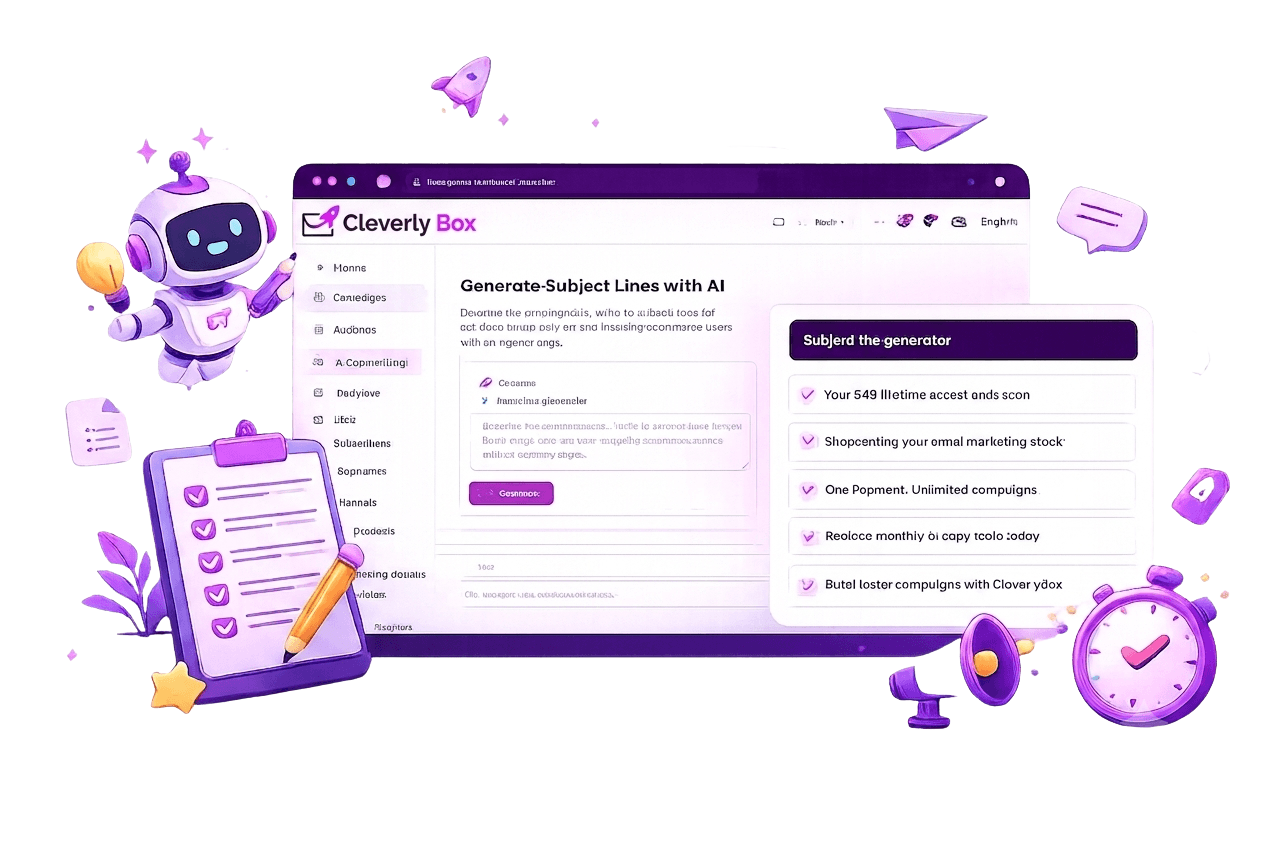
Hit the AI button in the subject-line field. Describe the campaign in a sentence — "Black Friday 40% off, ecommerce audience, urgency angle." GPT returns ten distinct subject lines. Edit any of them. Save the ones you like to your prompt library so the next campaign starts from your voice, not a cold prompt.

  • Single-prompt → 10 variations, all distinct angles (curiosity, urgency, benefit, question, social proof…)
  • Set length, tone, emoji-yes/no, and audience profile in the prompt — GPT respects all of it
  • "Generate more like this one" — pick a winner, request 5 variations in the same voice
Generate subject lines

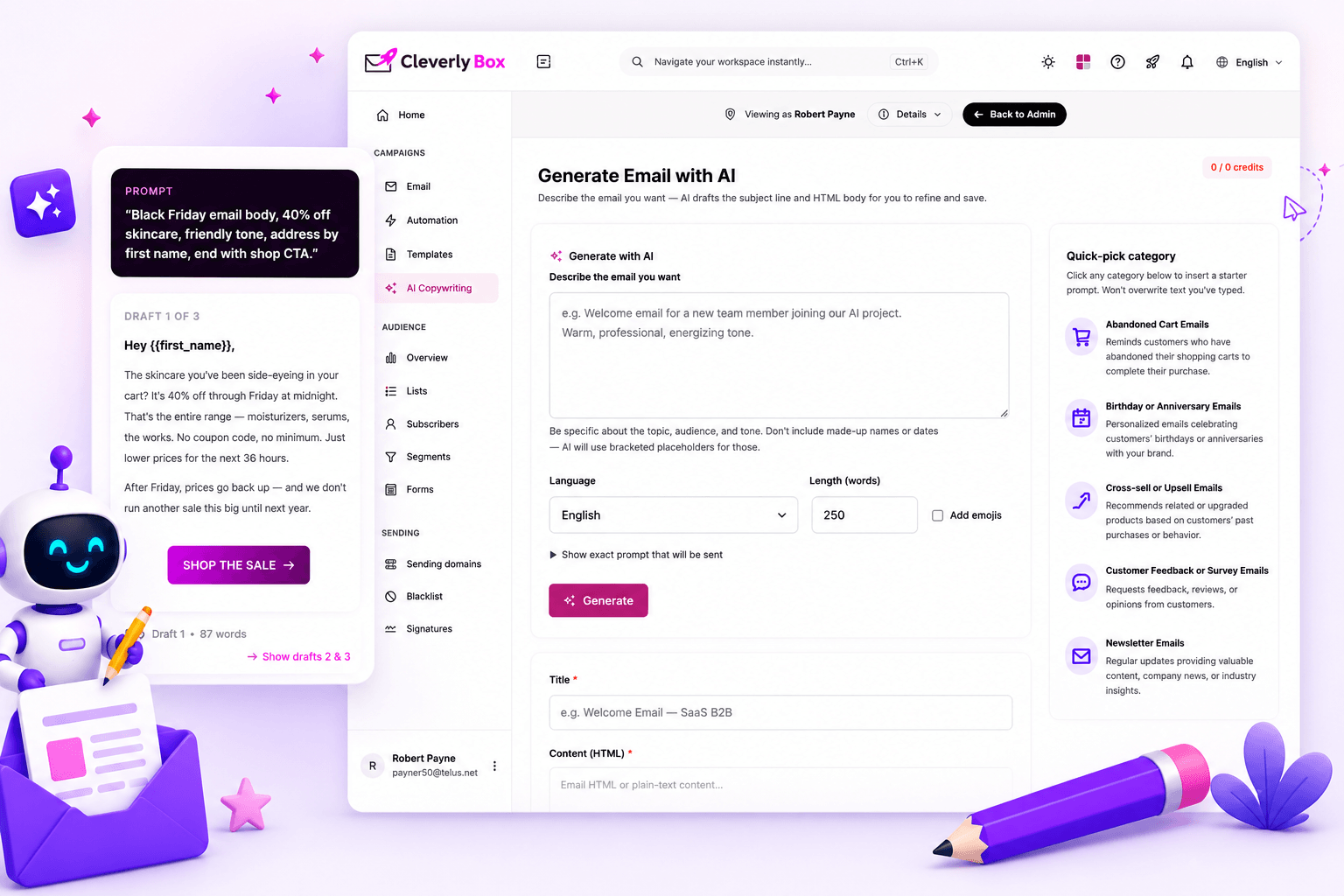
Body drafts in your voice. Edit. Ship.

Same workflow, longer output. Hit AI in the body editor get three full-paragraph drafts based on the campaign brief. Pick one. Edit it. Or hit "regenerate" and get three more. The point isn't to ship raw AI output — it's to skip the blank-page minute and start at the editing minute.

  • 3 distinct draft directions per generation — different lead-ins, different structure, different CTA framing
  • Tone presets: friendly, formal, urgent, witty, professional — pick the voice that fits your brand
  • Auto-detects the subject line you're writing for and aligns body copy to deliver on the promise
Write email copy

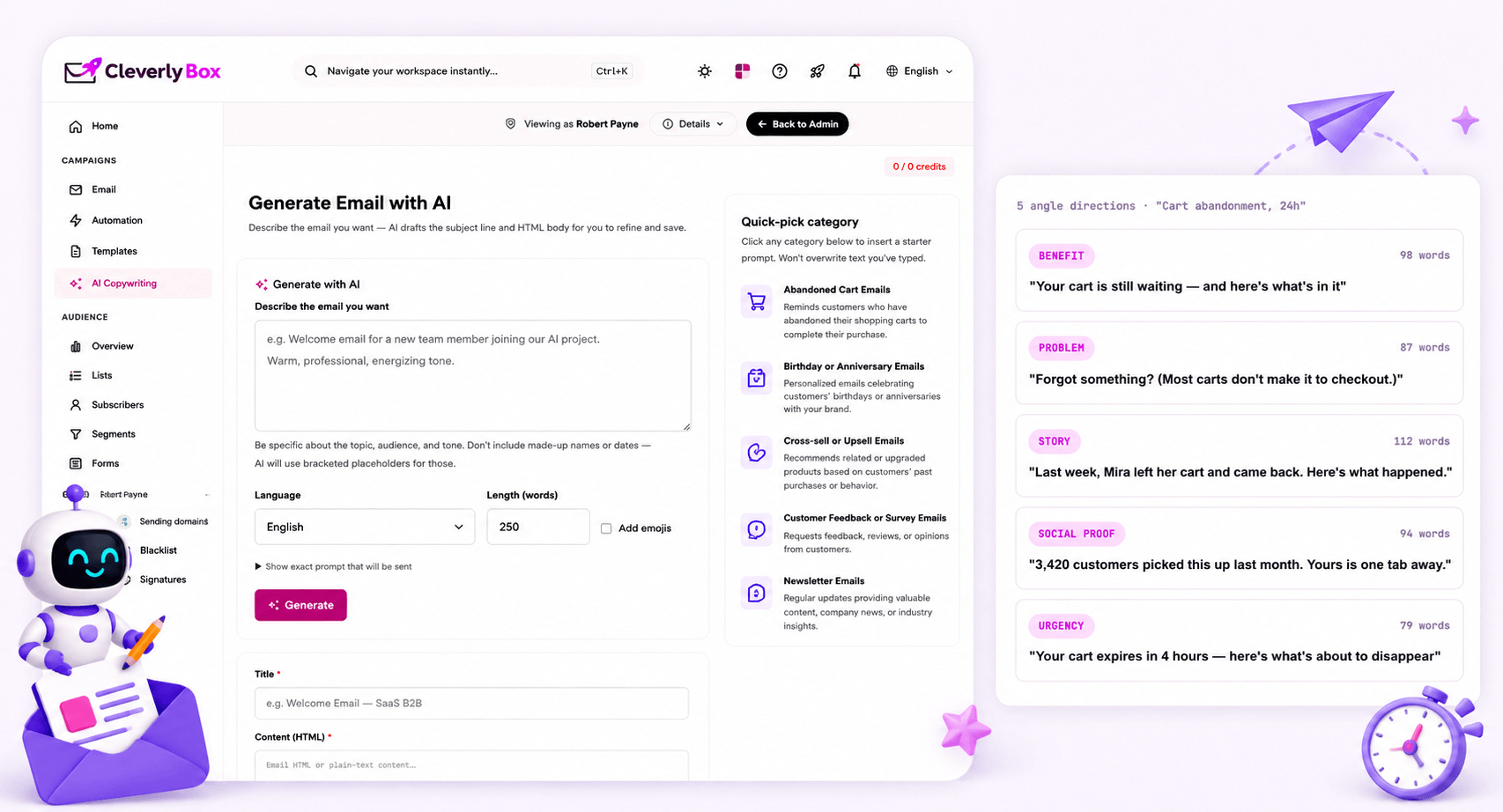
Five complete emails. Five different angles. One prompt.

For when you're testing what message resonates not just which subject line wins. Brief the AI on the campaign goal and audience, get five fully-drafted emails with distinct positioning. Run a multivariate test, see which angle pulls best, double down for the next send.

  • Five angle directions per generation: benefit-led, problem-led, story-led, social-proof-led, urgency-led
  • Each draft includes subject line, preheader, body, and CTA — wired together as a coherent email
  • Send the winning angle to your full list. Save the prompt. Iterate the next campaign on the framework that won.
Use AI campaign prompts

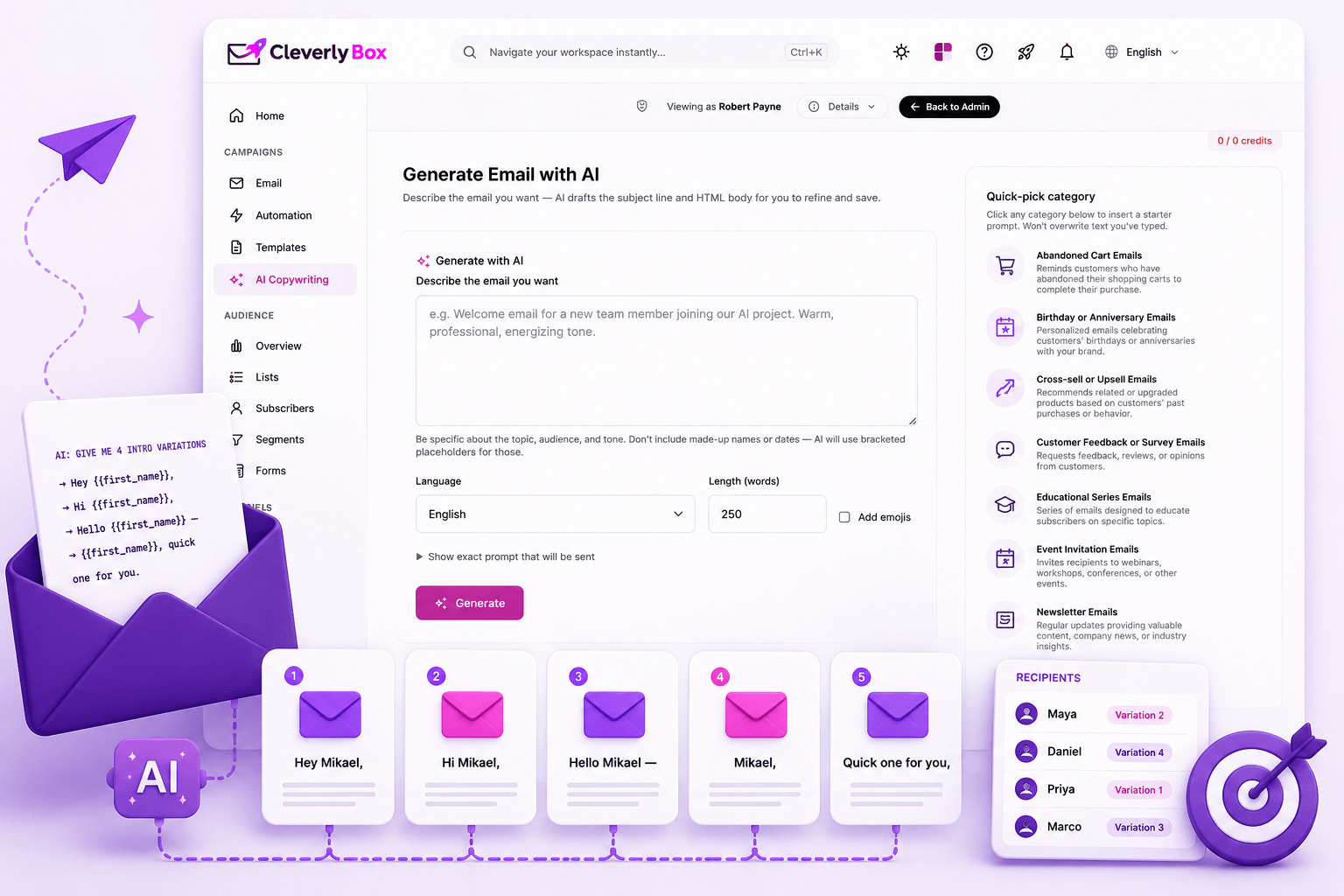
AI generates the variations. Spintax distributes them per recipient.

AI is for generating five different ways to say the same thing. Spintax is for serving each recipient one of those five — so no two subscribers see the identical email. The combination is what beats spam-pattern detection on volume sends. Generate the variants with AI, drop them into spintax brackets, ship a campaign that looks unique to every inbox provider.

  • AI suggests intro variations: {Hey|Hi|Hello} auto-rendered into spintax format
  • Spintax distribution randomizes per send — recipients on the same list see different combinations
  • Combined effect: 60+ unique permutations across a 1,000-send campaign — fingerprint detection fails
Create variations

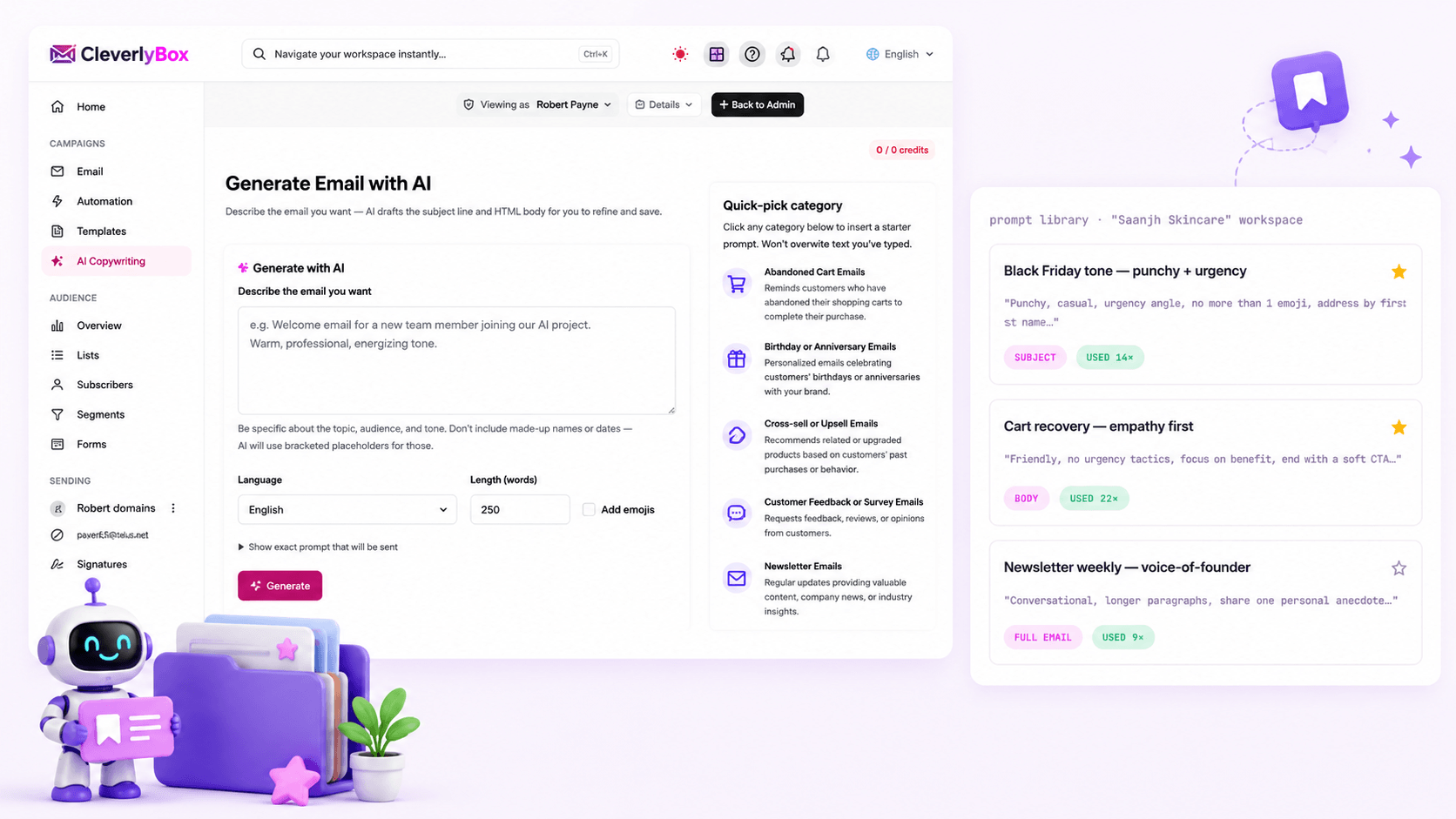
Save your prompts. Reuse your voice. Skip the cold start.

The third time you write "in a punchy, casual tone with one emoji and an urgency angle," you should be saving it. The prompt library remembers every prompt you've used, lets you star favorites, and auto-suggests prompts as you start typing. Build your team's house-style as a reusable asset not a doc nobody opens.

  • Save any prompt with a label — "Black Friday tone," "newsletter intro," "cart recovery angle"
  • Share prompts across team members — agency workspaces share house-style across all clients
  • Tag prompts by campaign type, audience, or brand voice — filter, find, fire
Save prompts

Inside the campaign builder. Not in another tab.

The AI panel is one click away from every text field that needs copy. No tab-switching. No copy-paste. No "I'll regenerate this in ChatGPT and bring it back."

01

Subject line field

AI button next to the input. One click → ten variations in a dropdown. Pick → it autofills. Edit → ship. The whole loop is 15 seconds.

02

Body editor

AI panel slides in from the right. Brief → 3 drafts. Drag a draft into the editor. Continue editing. Save the prompt to library if you want to reuse the angle.

03

Automation steps

AI is available inside every automation send-step. Generate the welcome-email body, the day-3 nurture, the final win-back — all without leaving the workflow canvas.

Powered by OpenAI GPT — natively wired into the platform

CleverlyBox ships with a server-side OpenAI integration. Your platform admin connects an OpenAI API key once; from then on every operator and every sub-account uses it. No per-seat AI subscription. No "credits" balance to top up. The AI calls are accounted against your OpenAI usage at OpenAI's raw API pricing — typically $0.001 to $0.003 per generation, vs. $49/mo for Jasper or $20/mo for ChatGPT Plus.

CleverlyBox AI vs Jasper + Copy.ai
+ ChatGPT Plus

All-in-one email campaign AI built directly into your marketing workflow.

Capability CleverlyBox Jasper Copy.ai ChatGPT Plus
Pricing model Built into $49 lifetime + OpenAI API at cost $49–$129 / month $49 / month $20 / month
5-year cost (1 seat) ~$49 + ~$30/yr OpenAI = ~$199 ~$2,940 ~$2,940 ~$1,200
Lives inside the email builder ✗ Separate tab ✗ Separate tab ✗ Separate tab
Subject + body + full email modes ✓ All three Manual prompts
Saved prompt library ✓ Per workspace ✓ Per seat Manual
Multi-tenant team / agency workspaces ✓ Unlimited sub-accounts Team add-on Team add-on
Available inside automations
Typical AI-stack 5 years $5880+
CleverlyBox AI 5 years $199

AI copywriting questions answered

OpenAI GPT, via the official API. The platform admin connects an OpenAI API key once in admin settings that key is what powers AI generation across every operator and every sub-account in the workspace. You can pin a specific model (e.g. gpt-4-turbo) or let CleverlyBox choose the latest stable model for each generation type.

You bring your own OpenAI key. Why: it keeps you in control of usage, cost, and which model you're using. OpenAI raw API pricing is far cheaper than Jasper / Copy.ai retail pricing typically $0.001 to $0.003 per generation. A heavy operator running 500 generations a month spends about $1.50 on OpenAI vs. $49/month on Jasper.

It uses the same OpenAI models as Jasper and Copy.ai. The output quality is a function of the model and the prompt, not the wrapper. Where CleverlyBox earns its keep is the integration: the AI knows the email subject line you're already writing, the audience profile from your list, and the tone preset you picked — so it generates contextually-aware copy without you re-briefing the model every time.

Of course. AI output drops into the editor as text. You can edit, delete, regenerate, mix-and-match between drafts. Most operators end up using AI for the first-draft skeleton, then editing 30–50% of the words to land their voice. Anyone shipping raw AI output is leaving the editing minute on the table.

It does — if you tell it. The prompt library is where you encode brand voice as reusable instructions. "Punchy, casual, never use exclamation points, sign off as 'team Saanjh'" — save that prompt once, fire it on every campaign. Agency workspaces can share house-style prompts across all client sub-accounts so the brand voice stays consistent regardless of which operator is drafting.

GPT writes the draft. You ship the campaign. $49 once.

CleverlyBox gives you AI copywriting, campaign tools, automation, sending providers, and reporting — all inside one platform.